The Yield Perps Trading Guide
Yield Perps introduce a new way to trade BTC price behavior. Choose Long, Short, or Range and earn over time while the market meets your position’s conditions. Your result depends on how much your position earns, how long it earns, and the funding and fees it pays along the way.
This guide walks through joining the testnet competition, opening your first position, and managing it as the market moves.
Getting Started
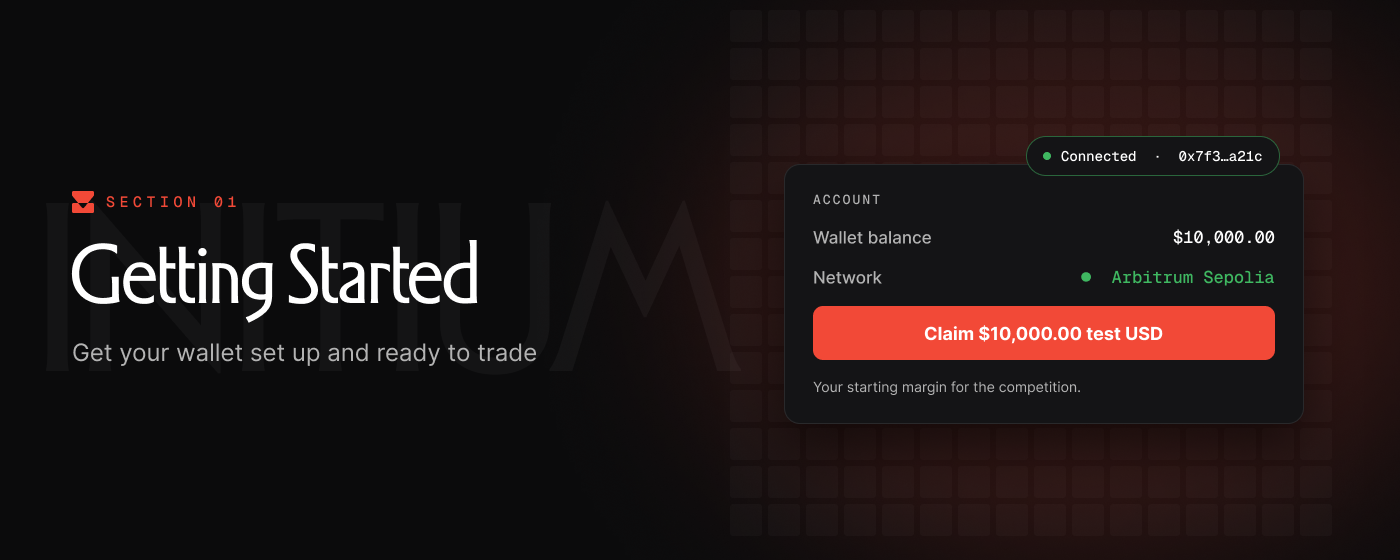
Setting up your self custody wallet to participate in the Cardinal trading competition is quick and easy. There's no gas, and all funds are provided by Cardinal.
1. Join the competition
Visit cardinal.trading and select Join the competition to open the trading app.
2. Connect your wallet
Select Connect and connect your Web3 wallet. If you need a wallet, we recommend Rabby.
During setup, you’ll be prompted to add and connect to Arbitrum Sepolia, the network used for the competition. Approve the network prompts in your wallet.
3. Claim your test funds
Open the Trade page and select Claim $10,000.00 test USD in the trading panel. Your balance will update once the claim completes. These funds are your starting margin for the competition.
To qualify for prizes, use one wallet and trade only with the supplied funds. Do not transfer additional test funds into or out of your competition wallet.
4. Share your participation on X
After claiming, you’ll see a message announcing that you’ve joined the competition. Select Copy message to paste it into a post on X, or use Post on X to open the prepared message.
Social media verification may be required to establish prize eligibility.
Placing a Trade
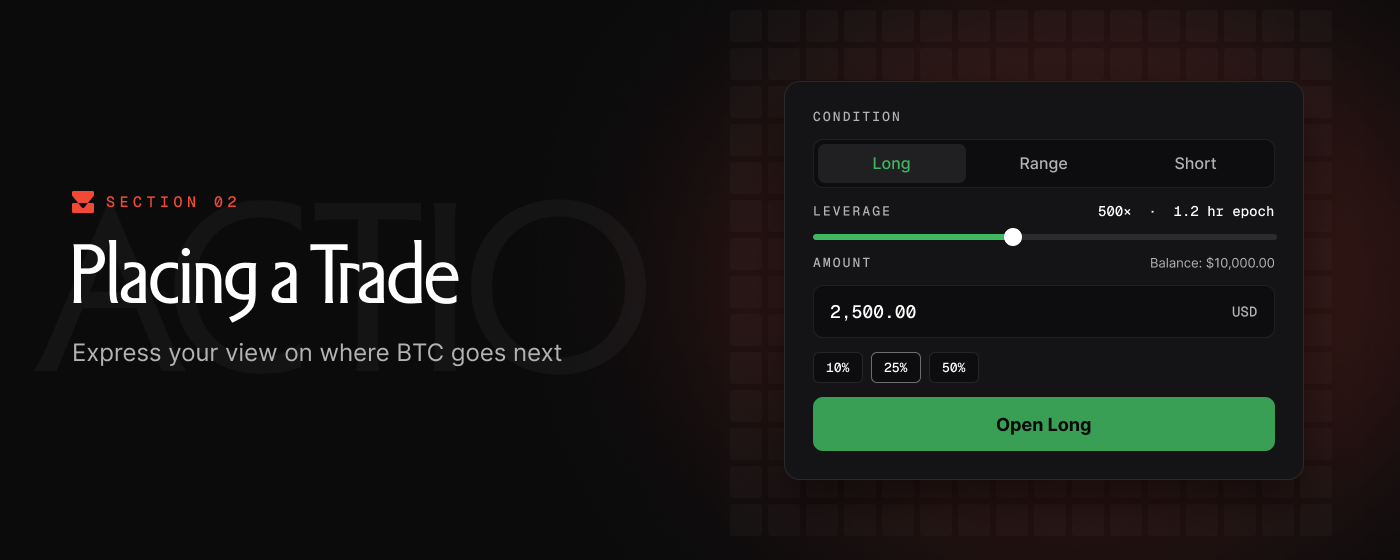
The trading screen brings together the BTC price chart, the New position panel, your account balance, and your open positions. Use the order preview to see how your selected trade would behave before opening it.
1. Choose Long, Short, or Range
Under Condition, select the position type that matches your view of BTC.
Long
Choose Long if you expect BTC to trend upwards. A Long position has a hurdle line that rises over time. Gross earnings increase as BTC moves further above that line, up to a maximum. Below it, gross earnings stop while funding continues.
Short
Choose Short if you expect BTC to trend downwards. A Short position has a hurdle line that falls over time. Gross earnings increase as BTC moves further below that line, up to a maximum. Above it, gross earnings stop while funding continues.
Range
Choose Range if you expect BTC to trade sideways. A Range position establishes an upper and lower price band. Gross earnings are highest near the center and decrease as BTC approaches either boundary. Outside the bands, gross earnings stop while funding continues.
2. Select your leverage
Use the Leverage slider to adjust your exposure and the conditions your position needs to meet.
Higher leverage raises potential APR, but also changes the trade:
- Long: The hurdle line rises faster, requiring a stronger upward move.
- Short: The hurdle line falls faster, requiring a stronger downward move.
- Range: The bands become narrower, leaving less room for BTC to move.
The epoch duration appears beside the leverage setting. Higher leverage also means shorter epochs and more frequent funding renewals.
Watch the chart preview as you adjust the slider. Consider whether the resulting bands or hurdle line match the price behavior you expect.
3. Choose your margin
Enter the amount of test funds you want to allocate in the Amount field. You can also use the 10%, 25%, or 50% shortcuts to select a portion of your available balance or enter a custom amount.
Each position is isolated. Your maximum risk is limited to only the margin allocated to that position, including any margin you later add.
5. Open your position
Once you've reviewed and confirmed your position details, select Open Long, Open Short, or Open Range, then complete any wallet prompts.
Your trade will appear under Open positions. You can continue to open new positions with your remaining margin. New positions do not impact existing positions.
Managing Open Positions
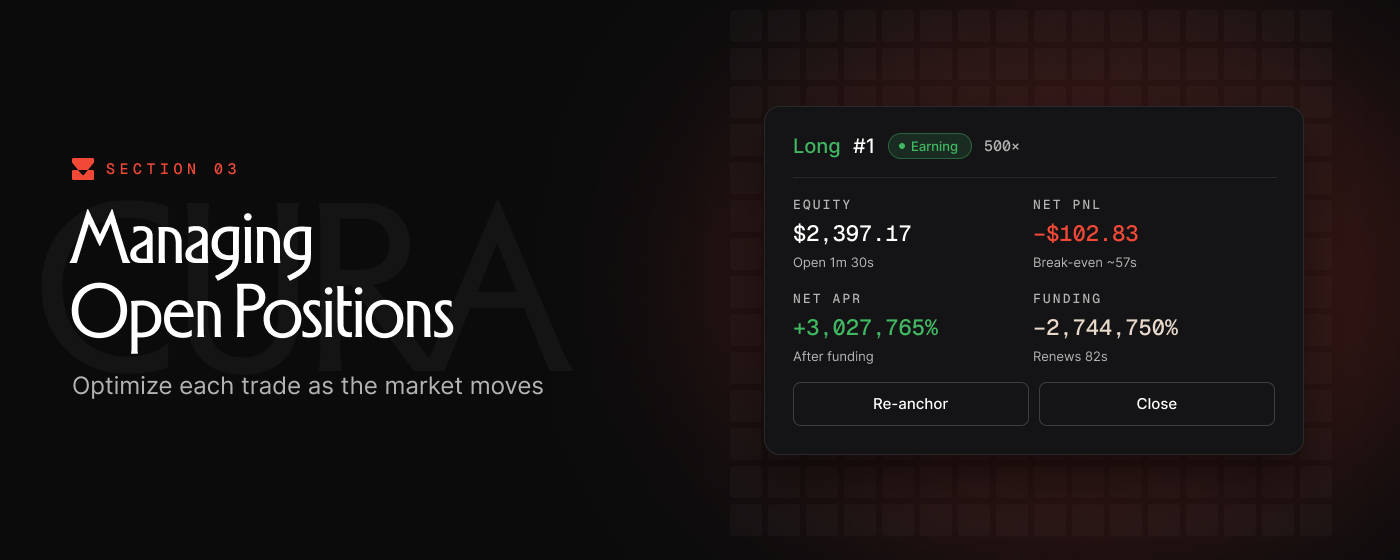
Once a trade is open, its position card shows how it is performing and gives you controls to manage it.
1. Read your position card
- Position: The position type, identifier, leverage, and current status.
- Notional: The size of the position’s exposure, with the time it has been open shown below.
- Equity: The current value remaining in the position after earnings and costs.
- Net PnL: The position’s accumulated profit or loss. The break-even estimate indicates how long it may take to recover its costs at the current earning rate.
- Net APR: The current annualized earning rate after funding.
- Funding: The current funding rate, with a countdown to its next renewal.
- Actions: Controls to Re-anchor, Close, or share the position.
A position can show a positive Net APR while its Net PnL is still negative. This means it is currently earning, but has not yet recovered its entry costs or earlier losses. The break-even estimate can change as price and funding change.
2. Watch funding and epoch renewals
Funding is an ongoing cost of keeping your position open. It is offset against your gross earnings: when earnings exceed funding, equity grows; when funding exceeds earnings, equity falls.
An epoch is the period between funding renewals. At renewal, the funding rate is refreshed and may increase or decrease. The Renews countdown on your position card shows when the next renewal is due.
3. Manage time in and out of range
The aim is to spend more time earning a positive net return after funding. Keeping a productive position open allows earnings to accumulate without repeatedly paying entry fees. However, time alone does not improve a trade: if its net APR is negative, leaving it open continues to reduce its equity.
For Long and Short positions, watch how BTC moves relative to the hurdle line. For Range positions, watch both the distance from the center and the remaining room before either boundary.
4. Re-anchor your position
Select Re-anchor to reset the position’s reference around the current market price. This recenters a Range position or resets the hurdle line for a Long or Short, which can make its earning condition easier to meet again.
Re-anchoring incurs additional fees. Those costs increase the amount the position must earn to reach break-even. Consider these costs when deciding whether to re-anchor, or wait for BTC price to move into your range.
5. Close your position
Select Close on the position card to lock in your PnL and return any committed margin to your balance. There are no fees to close a position. You can review closed trades under History.
Monitoring Your Performance
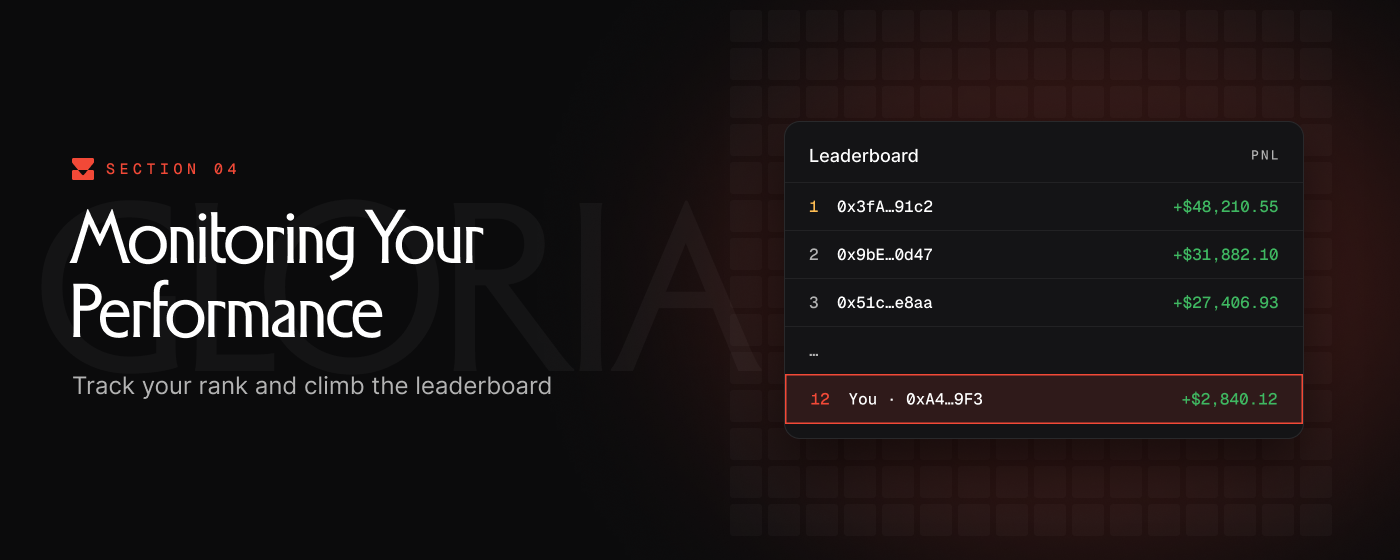
All positions opened during the 2 week competition period will count toward your performance during the testnet competition. Watch the leaderboard to track your performance against other traders.
1. Open the leaderboard
Open the navigation dropdown beside Trade at the top of the screen and select Leaderboard.
Your wallet’s row is highlighted at the bottom of the leaderboard, alongside your current rank and PnL.
2. Track your standing
Final rankings are based on total assets at the end of the competition, including margin remaining in open positions. You do not need to close a position simply for its remaining margin to count.
The competition awards 10,000 DRV for first place, 2,000 DRV for second, and 1,000 DRV for third. The top 20 receive early access to mainnet. See the competition announcement for the full details.
Leaderboard positions may be adjusted if addresses are disqualified during the final review.
Make Your Move
- Start trading and work your way up the leaderboard.
- Join the Discord for support, feedback, and competition updates.
- Follow Cardinal on Twitter for news and announcements.